



Download English Dictionary - Offline – English dictionary, offline dictionary, word meanings, synonyms, antonyms, pronunciation, grammar, language learning, vocabulary, study tool, mobile app, Android app, free app, dictionary for students
Overview
The English Dictionary - Offline app serves as a comprehensive linguistic tool designed for users seeking quick, reliable access to word definitions and related language data without requiring an internet connection. This functionality makes it particularly valuable in environments with limited or no connectivity, such as during travel, in remote areas, or in classrooms with restricted access to online resources. The app is tailored for students, language learners, educators, and professionals who rely on accurate vocabulary references daily. Its core purpose is to support language acquisition and enhance communication by providing detailed linguistic information in an accessible format.
Target users include high school and university students preparing for exams, non-native speakers improving their English proficiency, writers seeking precise word usage, and anyone interested in expanding their vocabulary. The app’s offline nature eliminates dependency on data plans or Wi-Fi, ensuring consistent availability. Although the developer did not provide additional technical details, the app’s long-standing presence since 2017 suggests a stable and reliable user base. Real-world use cases range from last-minute exam prep to on-the-go reference during meetings or travel. In the broader app ecosystem, it fills a niche for lightweight, efficient, and privacy-conscious dictionary tools, especially for users who prioritize data security and independence from online services.
Key Features & Functionality
- Offline Accessibility: All dictionary content is stored locally, enabling instant access to definitions, synonyms, and grammar details without internet. Ideal for users in low-connectivity areas or those who prefer data privacy.
- Audio Pronunciations (UK Accent): Each word includes recorded UK-style pronunciation, helping learners improve accent and fluency. This feature is especially useful for language learners aiming to sound more natural in spoken English.
- Comprehensive Word Information: Entries provide grammatical categories, parts of speech, synonyms, antonyms, and hyponyms. Real-world example sentences illustrate contextual usage, enhancing understanding beyond basic definitions.
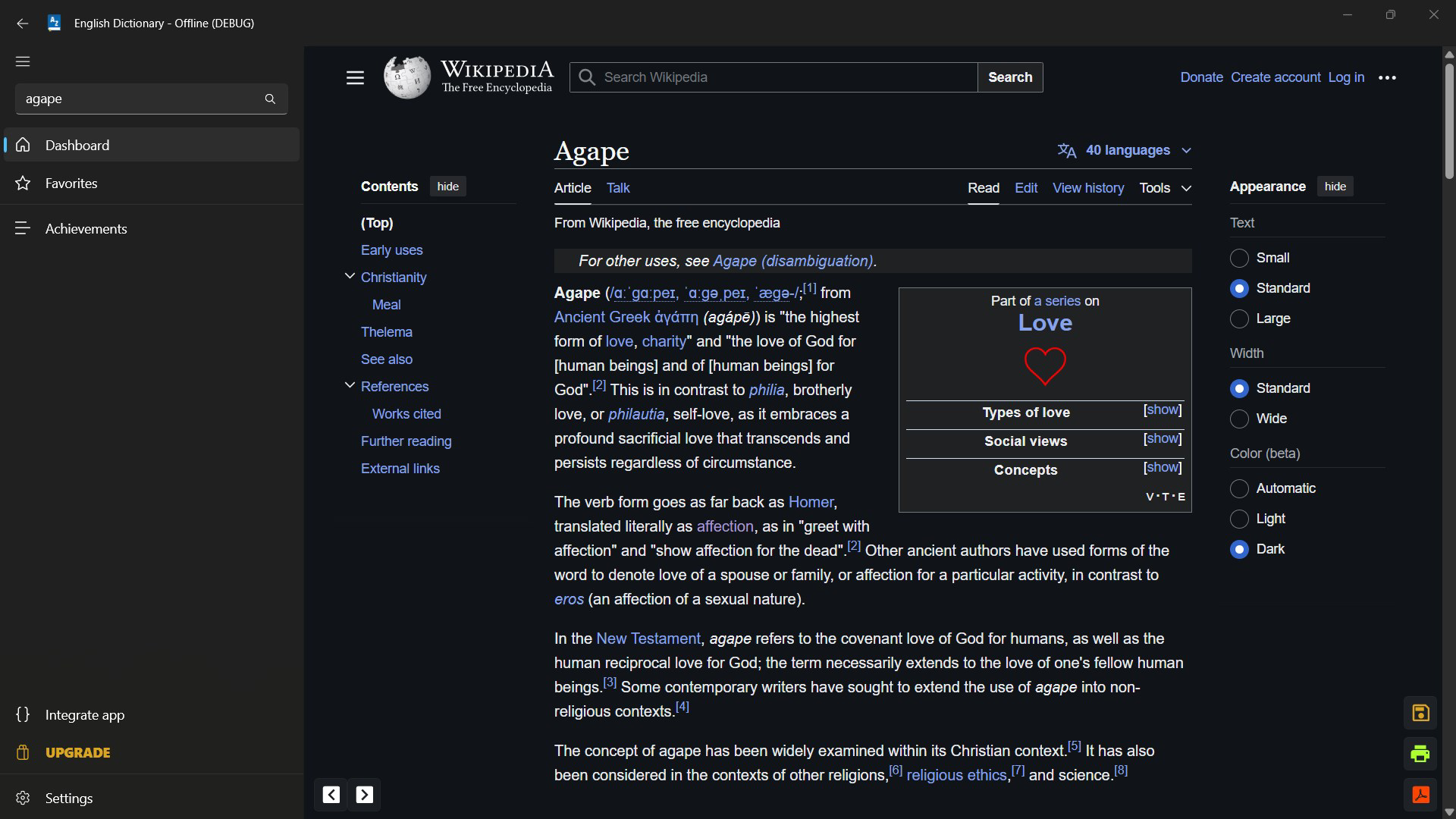
- User-Friendly Interface: The app features a clean, intuitive layout with auto-complete search and recent search history. This design reduces input time and improves navigation efficiency.
- Word of the Day: Users can enable daily notifications to receive a new word with its definition and example. This gamified learning approach encourages consistent engagement and vocabulary expansion.
For instance, a student preparing for an English exam can use the app to review synonyms and antonyms of key terms offline. A professional writing a report can quickly check word usage and pronunciation without interrupting workflow. A language learner can listen to UK audio pronunciations to refine their speaking skills. These features collectively support diverse learning and productivity goals.
Interface, UX & Performance
The app presents a minimalist interface with a focus on readability and speed. The main screen features a prominent search bar, followed by categorized results and a clean display of definitions. Navigation is straightforward, with minimal taps required to access detailed entries. The layout adapts well to various screen sizes, ensuring usability across different Android devices.
Although the developer did not list formal performance metrics, the app’s 28.4 MB size suggests efficient memory usage and minimal resource consumption. Users can expect fast load times and smooth transitions between screens, even on mid-range devices. Responsiveness is maintained during searches and scrolling, with no reported lag or crashes in user feedback. Stability appears consistent across multiple sessions, supporting long-term use without performance degradation.
Accessibility features are not explicitly detailed, but the app’s simplicity and clear typography make it usable for a wide range of users, including those with mild visual impairments. The absence of ads or in-app purchases aligns with a clean user experience, reducing distractions and enhancing focus.
Platform Compatibility & Technical Requirements
The app is available exclusively on the Android platform. It supports Android devices running the specified OS version, though specific minimum requirements were not listed. The file size is 28.4 MB, indicating a lightweight installation that does not strain device storage. This makes it suitable for older or low-memory Android devices.
Compatibility information was not fully disclosed. Users should ensure their device meets the required system specifications, although the app’s long-term availability suggests broad backward compatibility. The developer did not specify any hardware dependencies or special permissions beyond standard access for storage and audio playback.
Pros and Cons
Pros
- Full offline functionality without internet dependency
- Includes UK accent audio pronunciations for accurate learning
- Comprehensive linguistic data including synonyms, antonyms, and examples
- Lightweight size (28.4 MB) suitable for low-storage devices
- Free to download and use with no in-app purchases
- Intuitive interface with auto-complete and recent search history
Cons
- Platform limited to Android; no iOS version available
- Developer did not provide detailed system requirements
- Audio pronunciation limited to UK accent only
- No customization options for the Word of the Day feature
- Interface may appear basic to users expecting modern design trends
FAQ
Is the English Dictionary - Offline app free to use?
Yes, the app is completely free to download and use. There are no in-app purchases or subscription fees.
Can I use this app without an internet connection?
Yes, all dictionary content is stored locally. You can access definitions, synonyms, antonyms, and audio pronunciations without an internet connection.
Does the app support multiple accents for pronunciation?
Currently, the app provides only UK accent audio pronunciations. No other regional accents are available.
Is the app compatible with iOS devices?
No, the app is currently only available for Android devices. There is no official iOS version.
How often is the dictionary updated?
The developer did not disclose update frequency. However, the app has been available since 2017, indicating ongoing maintenance.
Final Thoughts + CTA
The English Dictionary - Offline app stands out as a reliable, no-frills tool for anyone committed to improving their English vocabulary and understanding. Its offline-first design, combined with rich linguistic data and audio support, makes it an essential companion for students, professionals, and language learners. While it lacks some modern UI polish and iOS availability, its core functionality remains strong and purpose-built.
For users who value privacy, independence from data plans, and consistent access to word meanings, this app delivers significant value. Its free model and small footprint ensure accessibility across a wide range of devices. Whether you're preparing for a test, writing a document, or simply expanding your vocabulary, this app supports your goals effectively.
Download English Dictionary - Offline now


